Growatt Inverters Shut Down and Restart
Restarting your Growatt inverter can help fix communication issues, WiFi dropouts, or minor system faults. Always follow the correct shutdown and start-up sequence to ensure safety and protect your equipment.
Before you start
- Perform the restart during daylight hours so the inverter receives solar input.
- Check that there are no visible faults, loose connections, or damaged isolators.
- If your inverter has a battery connection (for example, in hybrid setups), make sure the battery system is idle and not in backup mode.
- Never restart during a lightning storm or when system components appear damaged.
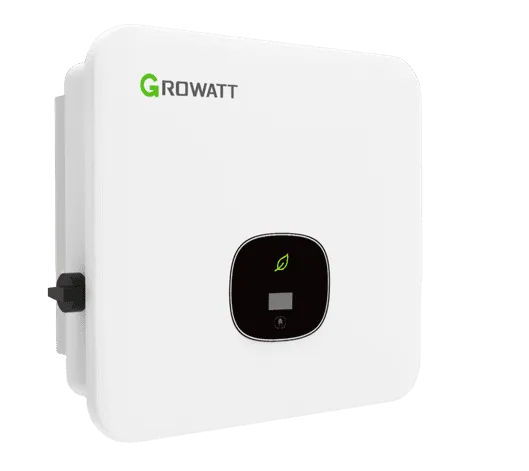
Growatt Inverters
1. Turn off the AC supply
Locate the Solar AC Isolator or Main Solar Supply Switch (usually near the switchboard or beside the inverter).
Turn the AC isolator OFF.
2. Turn off the DC isolator
Find the PV Array DC Isolator located under or beside the inverter.
Turn the DC isolator OFF.
3. Wait 5 minutes
Allow all LEDs, display lights, and internal components to fully power down.
This ensures the inverter fully resets.
4. Turn the DC isolator ON
Switch the DC isolator back ON and wait a few seconds.
5. Turn the AC isolator ON
Switch the AC isolator back ON.
6. Allow the inverter to start up
The inverter will perform internal checks.
Within a few minutes, a solid green light (or normal operation LED) indicates the inverter is generating.
7. Verify operation
Check the Growatt display (if available) or the ShinePhone app to ensure data is updating.
If your inverter does not reconnect automatically:
- Try refreshing the ShinePhone app
- Recheck your WiFi details
- Confirm the dongle has power and LEDs are on
If a fault code appears, record it before restarting again.
Tips
- If the inverter does not power up, ensure both AC and DC isolators are turned back on and that there is sunlight.
- Avoid restarting the inverter repeatedly without pausing 1–2 minutes between cycles.
- If the inverter continues to show an error, contact your solar installer or Growatt Technical Support.





